

Measuring the User Experience
Immediate, realtime feedback to act upon.
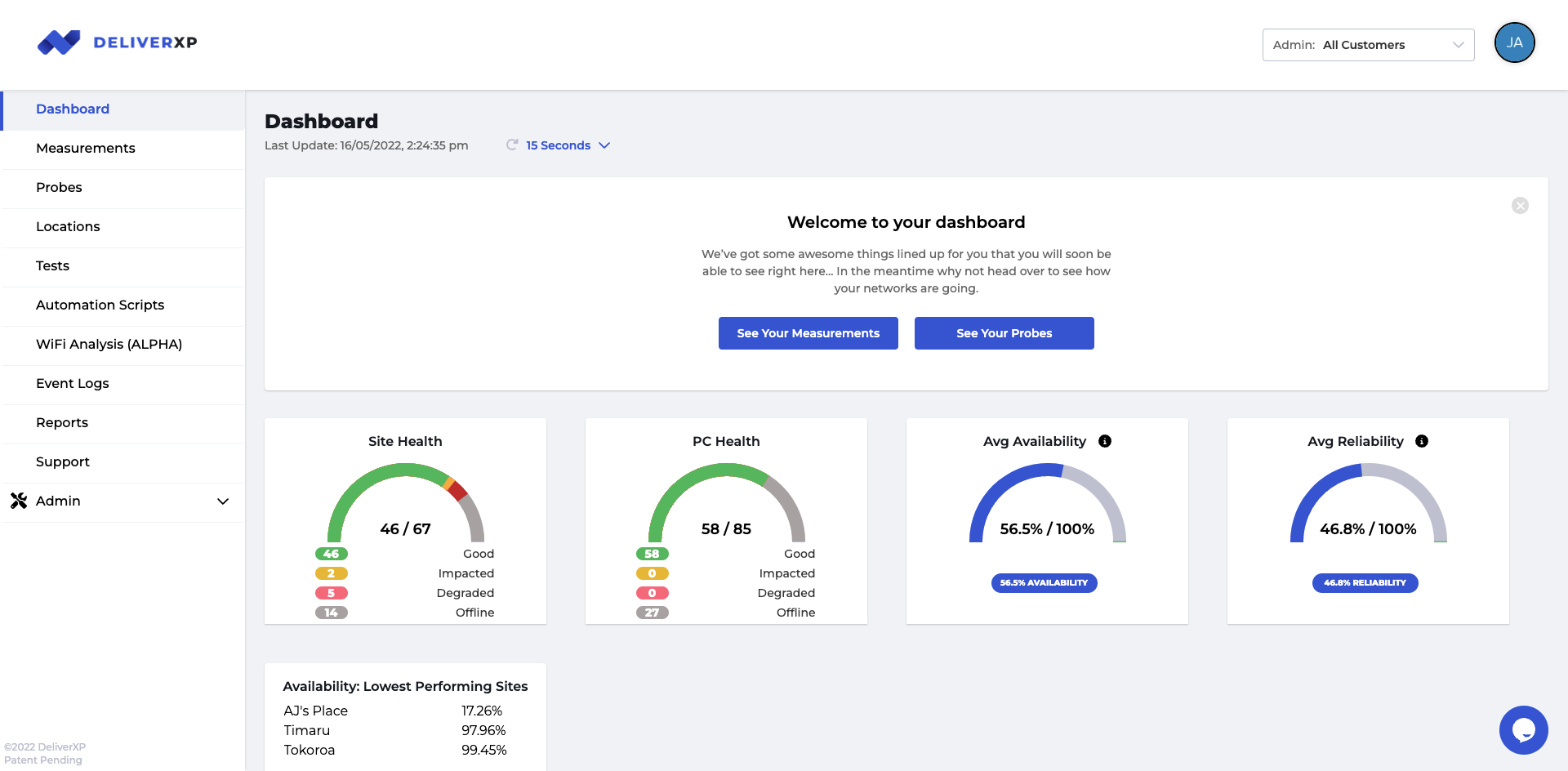
Performance Dashboard
We give you a dashboard to see an overview of what your networks are doing and how they are performing.
We make sure that we give you what is going to help your business thrive.
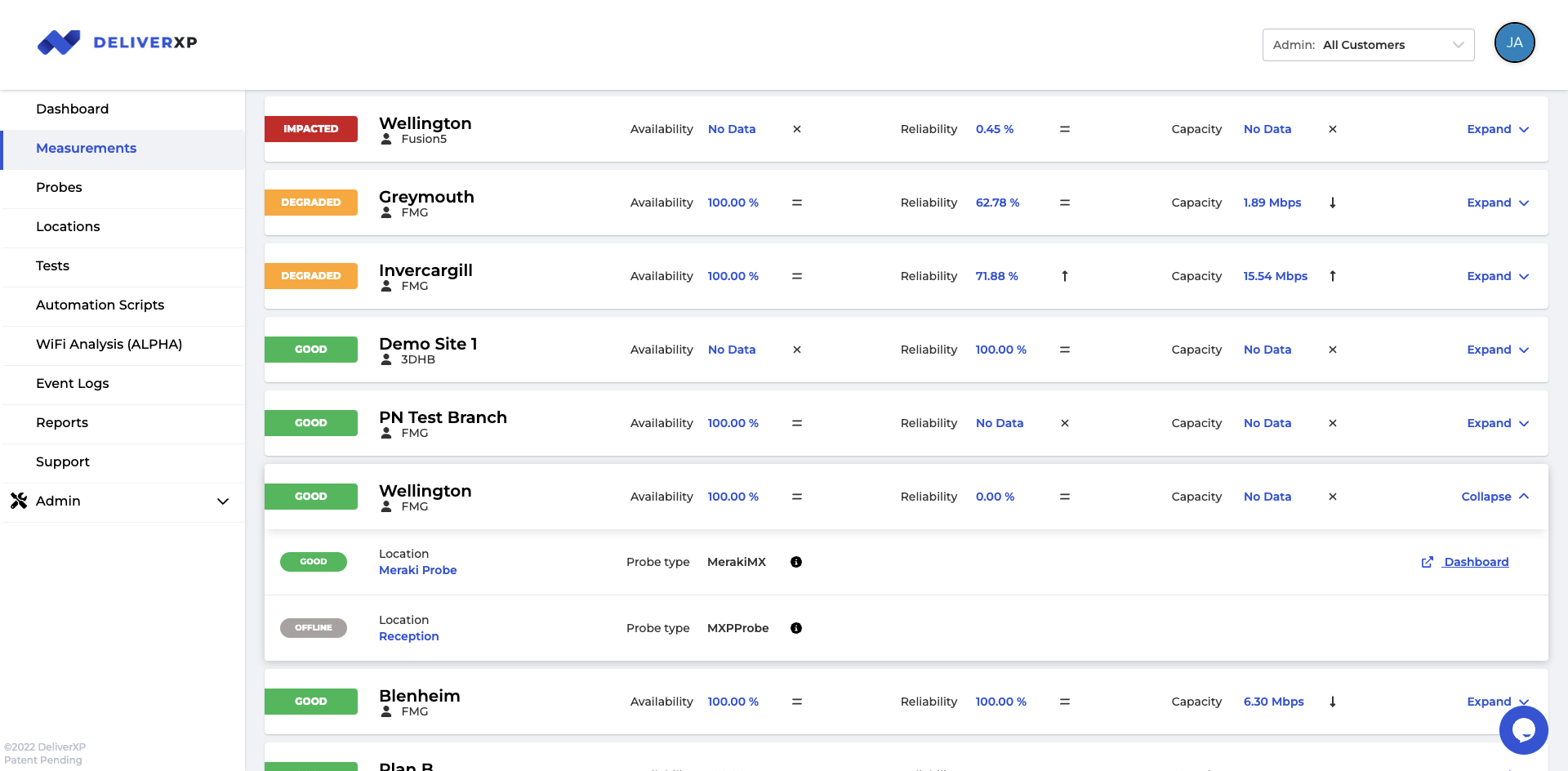
Measuring the network
Detailed, easy-to-see data for each and every location for your networks reliability and availability, giving you the immediate insight on what action needs to be taken ‘right now‘.
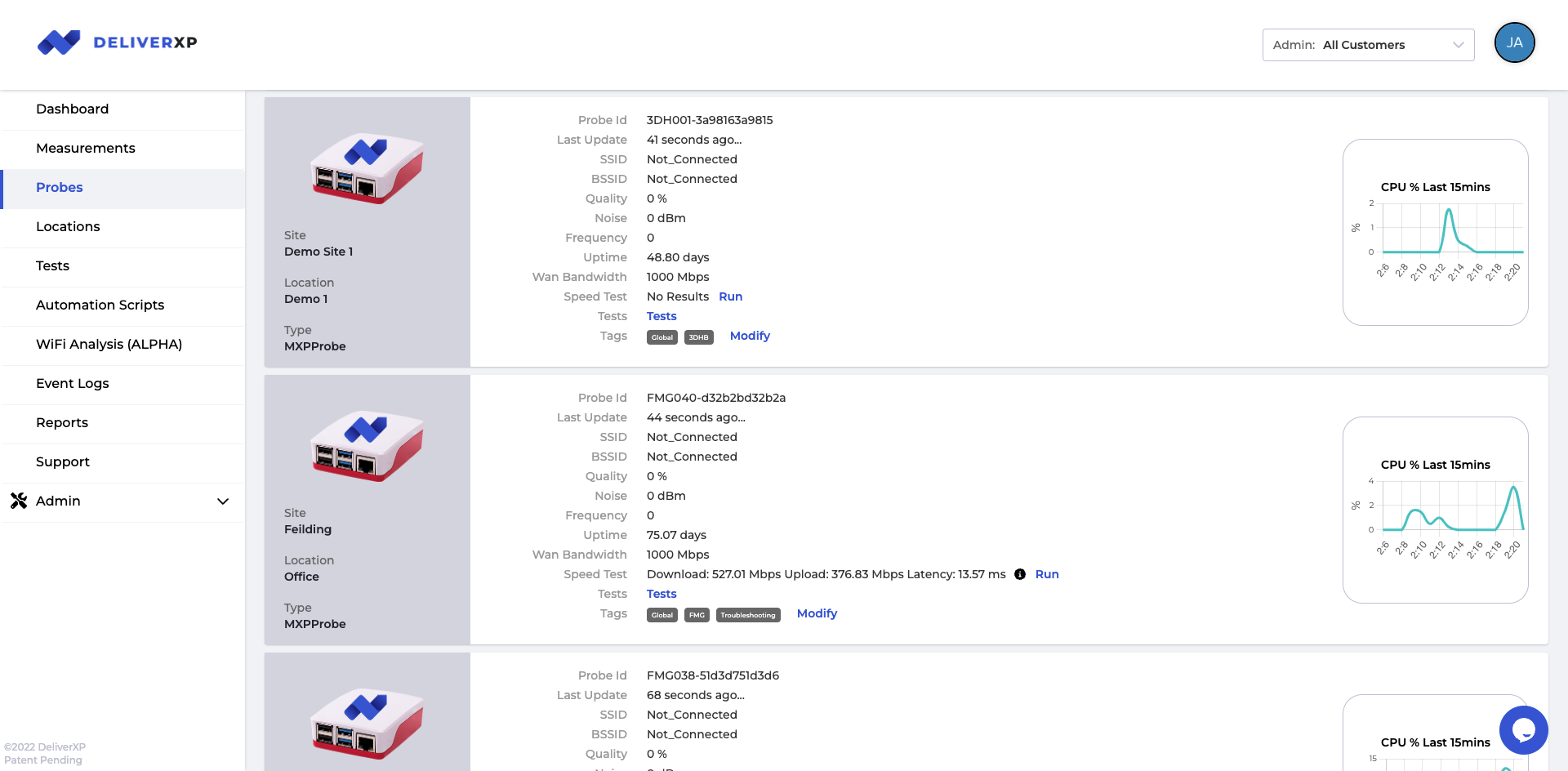
Probes Management
Get instant insight into what your probes are doing, how they are setup and how well they are performing.
Features
LAN, WAN and Wi-Fi designed and managed as one connected system for reliable performance.
Cloud calling, SMS, live chat and video conferencing, managed end-to-end.
24/7 threat detection, endpoint protection and staff security training.
Licensing, security and support for Microsoft 365 and Azure.
Automated backups and a tested recovery plan for your business.
A live dashboard showing exactly how your network is performing.
Hardware procurement, secure onboarding/offboarding, and secure device retirement.
Annual IT budgeting, roadmap planning, and compliance guidance.
Commercial advisory, negotiation and cost optimisation from our sister company Xavient Partners.
Use Cases
Register your interest by submitting your email here or email us at [email protected].
Deliver XP defines value as a combination of:
- How well are your services performing and
- How much it costs to deliver the performance
Our service evaluation process looks to baseline your existing value
- We learn about your business, what you do, why, and how
- We review your model. We look to understand your operating model including reverse engineering your costs
Deliver XP will then decide if we can improve the value proposition to you. If we cannot, we will let you know that we think you are getting great value and suggest you stay with your current services and provider(s).
Either way you win.
Please contact us for more information here.
The better question to ask is “what is causing my applications to run slow?”. Everyone makes networking sound easy, but there are a lot of moving parts and not just network ones:
- WAN/Broadband. Typically the quality of modern broadband services delivered by fibre is excellent. If there are issues here you can expect issues across all devices using all applications
- LAN/Switching & Wi-Fi. Switches almost never break and offers the best performance connecting devices via cables. Wi-Fi on the other hand has multiple factors that can cause issues:
- Distance between Wi-Fi access point and device
- Obstructions between Wi-Fi access point and device
- Other Wi-Fi networks in the same area can cause interferance
- Poor placement of Wi-Fi access points and poor configuration of power and channel settings
- Device performance. Your pc/laptop/tablet/phone could be suffering performance issues for any number of reasons. Running a local application like Microsoft Excel (not via a browser) with a local spreadsheet can tell you if your computer is slow, or if the network/Wifi is slow
- Application performance. An application is slow but others are fast typically suggests its not a network/Wi-Fi issue.
The best question is “How am I supposed to know what the problem is, surely that should be up to the provider to work out?”
And Deliver XP is glad you asked because we have solved this problem by measuring the user experience over Wi-Fi to ensure we can categorically state “the Wi-Fi is or is not the problem”
For more information please contact us here.
A managed service provider (MSP) like Deliver XP takes ongoing responsibility for a business’s IT, rather than just fixing problems when they come up. That includes monitoring networks and devices, managing cybersecurity, keeping systems patched and backed up, running the service desk for support, and advising on technology strategy and budgeting. The goal is to prevent issues before they disrupt the business, for a predictable monthly fee.
Deliver XP’s service desk is monitored around the clock, with response times set out in your service level agreement based on the severity of the issue. Critical outages that stop your business from operating are prioritised first, typically with a response within minutes, while lower-priority requests are scheduled within the same business day. Every ticket is tracked so you can see progress and history at any time.
Most MSPs, including Deliver XP, charge a fixed monthly fee per user or per device, so costs scale predictably as your business grows or shrinks. Pricing depends on the scope of support required, such as service desk hours, cybersecurity coverage, and the number of systems managed. Deliver XP provides a clear, itemised quote after a short discovery call so you know exactly what is included before committing.
Switching managed service providers is usually smoother than businesses expect. Deliver XP starts with a full audit of your existing systems, credentials and documentation, then builds a transition plan that runs alongside your current provider so there is no gap in support. Most handovers are completed within a few weeks, with no downtime for staff and no data loss, and you keep full ownership of your accounts and licences throughout.
Deliver XP layers cybersecurity protection across your whole environment rather than relying on a single tool. This includes 24/7 threat monitoring, endpoint protection on every device, email and phishing filtering, regular patching, and multi-factor authentication on critical systems. We also run staff awareness training and periodic reviews, so your defences keep pace with new threats instead of just reacting after an incident.
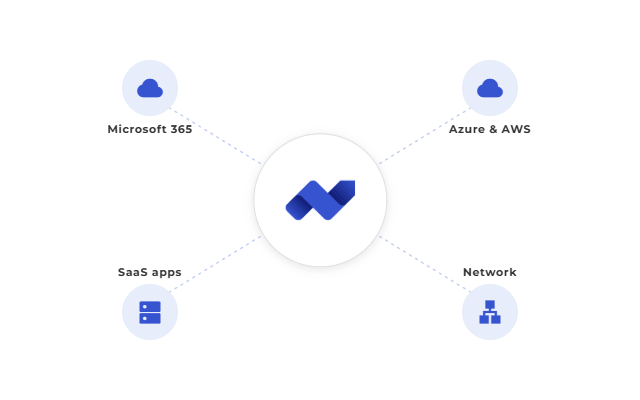
Yes, Deliver XP manages Microsoft 365 and cloud environments from start to finish. So, your team gains a secure, well-organised digital workplace without needing in-house cloud skills.
What’s included
Our Cloud & Microsoft 365 Management service covers several key areas. First, licensing and cost control form the foundation. Also, new starters receive fast account setup, and departing staff lose access right away. Mailboxes and file storage stay well organised too. Finally, regular performance tuning keeps everything running smoothly.
SharePoint and Teams also receive careful setup for your business. So, collaboration tools stay fast and reliable as your business grows. Also, our team watches these systems closely and catches small issues early. Because of this, small issues rarely turn into big problems.
Security built in
Security sits at the core of our approach. For example, our Cybersecurity & Threat Protection service adds strong safeguards to your Microsoft 365 tenant. Also, conditional access rules control who can reach your systems. Plus, multi-factor authentication protects every user account. Meanwhile, data loss prevention policies guard your sensitive files.
These steps match guidance from the Microsoft Trust Center, which recommends layered security controls for cloud environments. So, our team follows these best practices closely and adjusts them to fit your business.
A smooth migration
Cloud migration can feel hard, but our process keeps things simple. First, careful planning and thorough testing happen before every go-live. Then, your team can work from anywhere. Also, data stays safe, and systems stay fast.
Ongoing support continues well after migration. For example, our service desk answers questions fast, and round-the-clock monitoring catches problems early. Because of this, small issues rarely grow into big ones.
Why choose Deliver XP
Choosing Deliver XP means you gain a trusted partner for your cloud journey. Plus, deep Microsoft 365 skills combine with strong security practices to protect your business. Also, predictable monthly costs and clear reports mean you always know where your budget and systems stand. In short, your business gains a modern, safe, and reliable digital workplace, all without the stress of managing it yourself.
This depends on your specific recovery plan and data volumes. As part of onboarding, Deliver XP works with you to define a clear recovery time objective (RTO) and recovery point objective (RPO), then tests against them so you know exactly what to expect if systems go down.
A backup is simply a copy of your data. A disaster recovery plan is the tested process for actually getting your systems, applications and users back online after an outage, using those backups. Deliver XP provides both: automated backups plus a documented, tested recovery plan, so having data saved somewhere doesn’t just sit unused when you need it most.
Not necessarily. Most modern desk phones and softphone apps work with our system, so in many cases we can reuse your existing hardware. Where new handsets are needed, we’ll recommend options that fit your budget and how your team works.
Very little. Most teams are comfortable within a day, since the interface is designed to feel familiar. We provide a short onboarding walkthrough for your team and quick-reference guides, plus ongoing support if questions come up later.
Yes. Antivirus alone doesn’t catch phishing, credential theft, or misconfigured cloud accounts, which are among the most common ways small and mid-sized New Zealand businesses are breached today. Managed cybersecurity adds 24/7 monitoring, response and staff training on top of that baseline protection.
In many cases, yes. We regularly find businesses paying for licence tiers or seats they no longer need.
Yes. We configure security and access controls as part of every cloud migration, so moving to the cloud is done with the same security rigour as your on-premise systems, not instead of it.
Our team responds immediately to contain the threat, investigate the cause, and get you back to normal operations, then work with you on steps to prevent a repeat incident.
All retired devices are securely wiped in line with data protection best practice before disposal or reuse.
We track the age, performance and warranty status of every device we manage, so replacements are planned ahead of failure rather than reacted to after something breaks.
Regular IT support keeps day-to-day systems running; a vCIO focuses on where your technology needs to be in one to three years and how to budget for it.
Most clients meet quarterly to review budget, roadmap and any compliance requirements, though we can meet more frequently if your business is going through a period of change.
Response times depend on the urgency of the issue. Critical outages affecting your whole business are treated as priority one and actioned immediately, while day-to-day requests are picked up promptly during business hours.
Every staff member gets direct access to the service desk, so they can log a request the moment an issue comes up rather than waiting on an internal IT contact.
The better question to ask is “what is causing my applications to run slow?” Networking involves a lot of moving parts, not just Wi-Fi ones. Broadband quality, LAN switching, and Wi-Fi factors such as distance from the access point, physical obstructions, interference from other networks, and poor access point placement can all play a part. We diagnose the whole path, not just the Wi-Fi symbol on your laptop.
Usually, yes. Most coverage and interference issues are fixed with better access point placement and configuration, and only need new cabling in a minority of cases.
Our live dashboard shows you exactly how your network and systems are performing, so you can see the outcomes you’re paying for rather than relying on a provider’s word for it.
Convinced yet?
Well, we cannot wait to hear from you.
Reach out to us now so we can help you with a smart solution that best suits your business.
Or keep up to date with our latest blog posts? Subscribe now
Follow us
Subscribe to receive our latest articles and other news from the industry straight to your inbox.
Our Managed IT Services
Deliver XP provides end-to-end managed IT, cybersecurity and communications support for New Zealand businesses. Explore each service below to see exactly what’s included.
Managed IT Support & Service Desk
Unlimited remote and on-site support from real IT specialists, included in your plan rather than billed per ticket.
Cybersecurity & Threat Protection
24/7 threat detection, endpoint and email protection, and staff security awareness training to stop everyday risks before they become expensive ones.
Cloud & Microsoft 365 Management
End-to-end management of your Microsoft 365 and cloud environment, including licensing, security configuration and ongoing user support.
Backup & Disaster Recovery
Automated, centrally managed backups and a tested disaster recovery plan, so your business can recover quickly if data is lost.
Business Communications
Cloud-based phone systems, toll-free numbers, SMS, live chat and video conferencing, managed as one connected system.
Networking & Wi-Fi
Design, installation and ongoing management of your LAN, WAN and Wi-Fi so connectivity issues get fixed at the root cause.
Device & Asset Lifecycle Management
Full lifecycle management of your hardware, from procurement and secure onboarding through to scheduled refreshes and secure retirement.
Performance Monitoring & Reporting
A live client dashboard showing site health, availability and reliability in real time, backed by proactive alerting.
IT Strategy, vCIO & Compliance Advisory
Virtual CIO guidance covering IT budgeting, roadmap planning and support navigating compliance obligations relevant to your industry.
Business Optimisation & Commercial Advisory
Independent commercial advisory, contract negotiation and cost optimisation delivered by our sister company Xavient Partners, covering IT expenditure reviews, business cases, procurement and governance.